
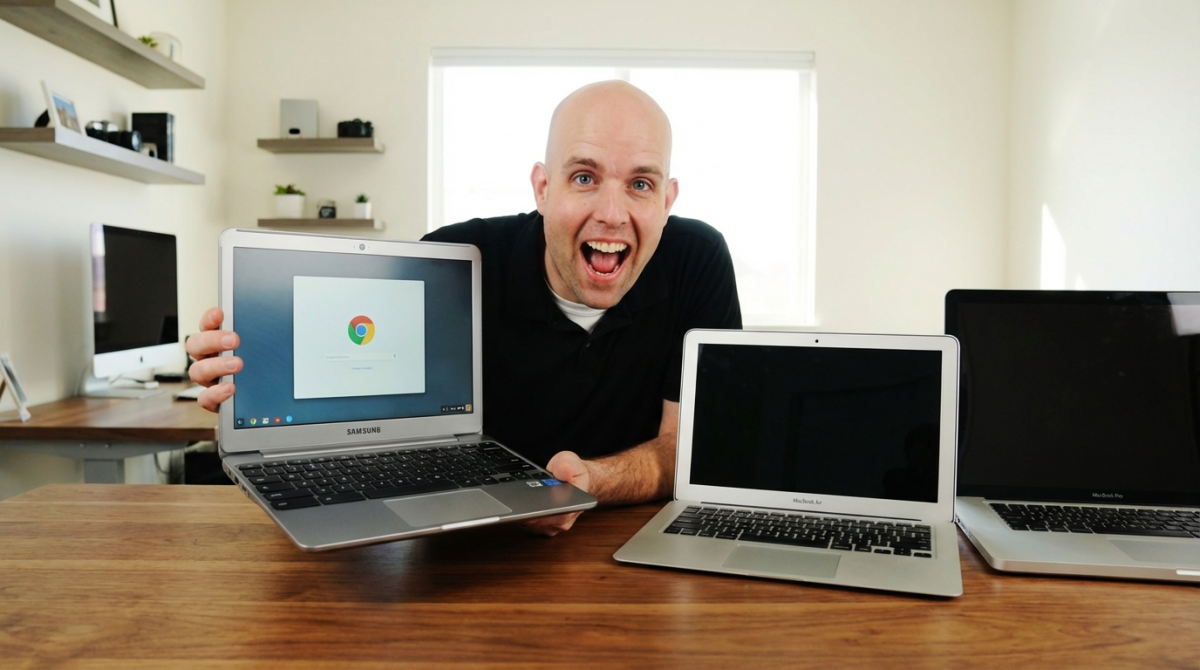
My GoogleOS ChromeBook Laptop Review
shoemoney
·
·
4 min read
I got my Google ChromeBook earlier this month. Google did this pretty smart marketing tactic where they offered to “Give Away” the laptops.
In order to qualify to “demo” the laptop you had to punch in all this information about why you should get it... what your expertise is and if you are a business owner you had to fill out a bunch of other stuff to “qualify”.I never got a free demo unit but I did "get a chance" to purchase the laptops for each of my employees one 2 weeks before they would go on sale to the general public. Everyone I know got this email who applied to get a demo unit. +1 google marketing.
I bought one. $499. I am the guy who has to always have the latest gadget.... My employees love it cause they usually get it after I am bored with them in a week.
But on to the ChromeBook and my impressions. Please keep in mind I currently am always torn between taking my ultra heavy macbook pro 17” and my 11” macbook air.
First of all before even turning it on I was in love. This thing has everything I have been wanting in a laptop for a long time.
Screen :
Screen perfect size it feels like a 14”. Very usable on aircraft and all around use. Nothing spectacular. Would not be surprised if it was not a LED. Felt like a standard LCD.
Always connected Internet:
When you are not using a wifi network you have the built in 3g through Verizon. Free for 100MB of data then priced up from there. I currently pay for tethering on my iPhone and a Verizon mifi. So this will save me about $650 a year with the 5GB plan per month (even tho I don't Think I would use anything close to that.
I can’t tell you how nice it is not to have to lug around a 3g card and making sure its charged and crap. Then it always seems like when you need it the most it has issues.
SD Card Slot:
This may come as a surprise to most but my 11” Macbook Air and my 17” Macbook Pro do not have a SD Card slot. I have to have an adapter for both.
Having a built in SD card slot is nice to have.
No Cd drive:
I love this. I don’t know why ANY laptop comes with a cdrom anymore. It adds a lot of weight and takes up a ton of space that could be used for more battery life.
Solid state drive - Enough Said
Keyboard:
Very nice layout. The keys feel good almost like a ruber finish. A lot nicer to type on than my Macbook’s.
Ok so now lets get into the actual “real life” use of the computer. I have only used the Chromebook since I got it so I could give it a real review.
The operating system
The operating system on the front end is basically like the chrome web browser. You can download the chrome operating system for free if you ever want to check it out. If you are not a linux users I recommend downloading Parallels free trial and choose install ChromeOs from the menu.
Applications:
This is the one area that actually really surprised me. There are TONS of applications already for the ChromeOS and tons being developed every day. I was happy to be able to grab dropbox and other stuff that I enjoy on my MacOSX computers.
However I was unable to find a 1password extension/app or a few others. That is pretty close to a deal breaker for me as I can’t log in anywhere without it. But I expect a 1password app very soon.
My day to day use:
I find I am far more productive on the chromebook than my macbook pro’s. I think this is mostly due to the fact that I can’t do anything other than access web applications and the terminal. But that is what I do when I actually “work”... so its pretty sweet.
Overall impression:
This is a slick laptop and its got productivity written all over it. I got one for my assistant instead of a 2k+ macbookpro and she loves it. Its very lightweight and snappy. Depending on what you are looking for in a laptop it could be a perfect fit.